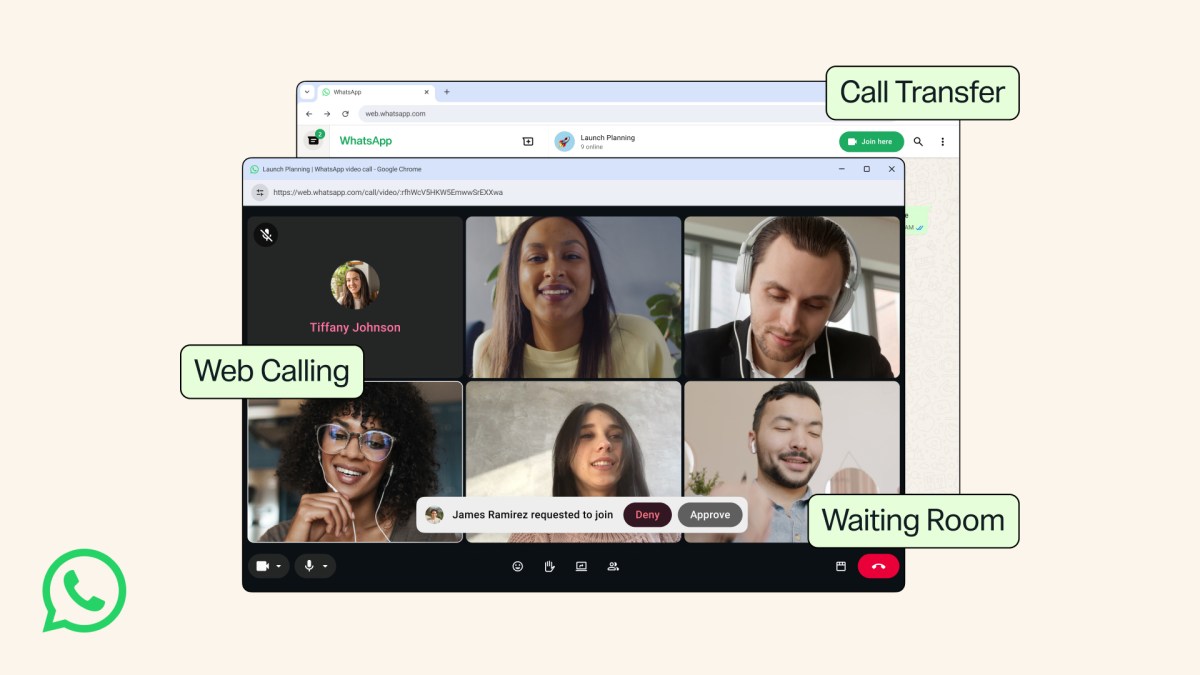
Whether you’re on your phone, at your desk, or switching between the two, WhatsApp gives you a private and simple way to make calls. Today, we are bringing new features to make calling even easier, no matter where you are or what device you’re on.
Call Directly From WhatsApp Web
You can now make and receive audio and video calls, both one-on-one and group, directly from WhatsApp Web. No app download required.
Whether you’re a college student on a shared computer, using a work laptop that doesn’t allow app downloads, or simply prefer your browser, you can jump on a call without leaving the browser you’re already on. You’ll have access to features available on your other devices including screen sharing, reactions, and a dedicated Calls tab with your full call history and favorites, all from your browser.
Your calls on the web are end-to-end encrypted — with no time limits and at no cost. It’s the same private experience you expect from WhatsApp.
Transfer Calls Between Devices
Move an active group call from one device to another without hanging up. For those moments when you’re on the go and start a call on your mobile device or tablet, you can seamlessly transfer it to WhatsApp Web or Desktop when you arrive home to collaborate on a larger screen – or vice versa.
A Waiting Room for Group Calls
For when you want more control of who joins your group calls and when, we’ve introduced waiting room. When you create a WhatsApp call link with “Require approval to join” enabled, participants will enter a waiting room until you’re ready to let them in.
Instant HD Video
We’ve been improving the video experience at the beginning of a call. With QuickHD, you can now enjoy high-definition video immediately in the very first few seconds of the call.
Drown Out the Noise
We’ve launched noise suppression to remove the background noise around you so your voice comes through clearly to the person you’re calling — even in loud or busy environments. It can be managed at any time in your in-call settings.
These features are rolling out gradually and will be available to everyone soon. We hope they make your WhatsApp calling even simpler to use.